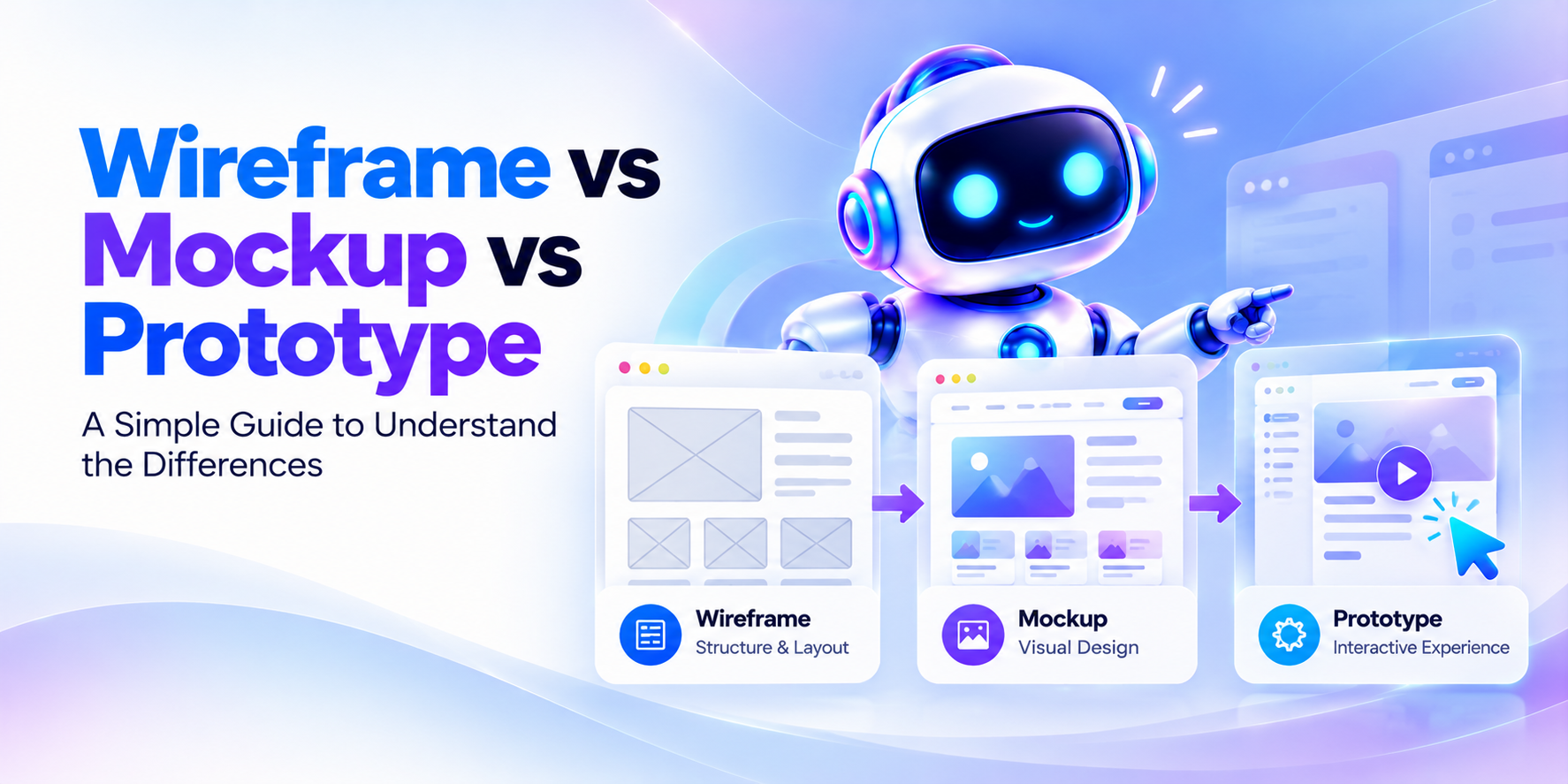
A wireframe is a basic layout sketch, a mockup is a static design that shows how the product will look, and a prototype is an interactive version you can click through to test how it works. Most products go through them in that order, from simple to detailed.
Key takeaways
- A wireframe shows structure, a mockup shows style, and a prototype shows behavior.
- Wireframes are fast and cheap, so mistakes are easy to fix early.
- Mockups are static: people can see them but cannot click them.
- Prototypes let real users try your idea before the full product is built.
- Fidelity means how close a design is to the final product. Start low and raise it step by step.
To keep things clear, this guide shows one screen at all three stages. It is a "Book a session" page for an imaginary fitness coach booking app. The example is an illustration made by Piltox, an AI startup idea validation platform, not a real customer's work.
What is a wireframe?
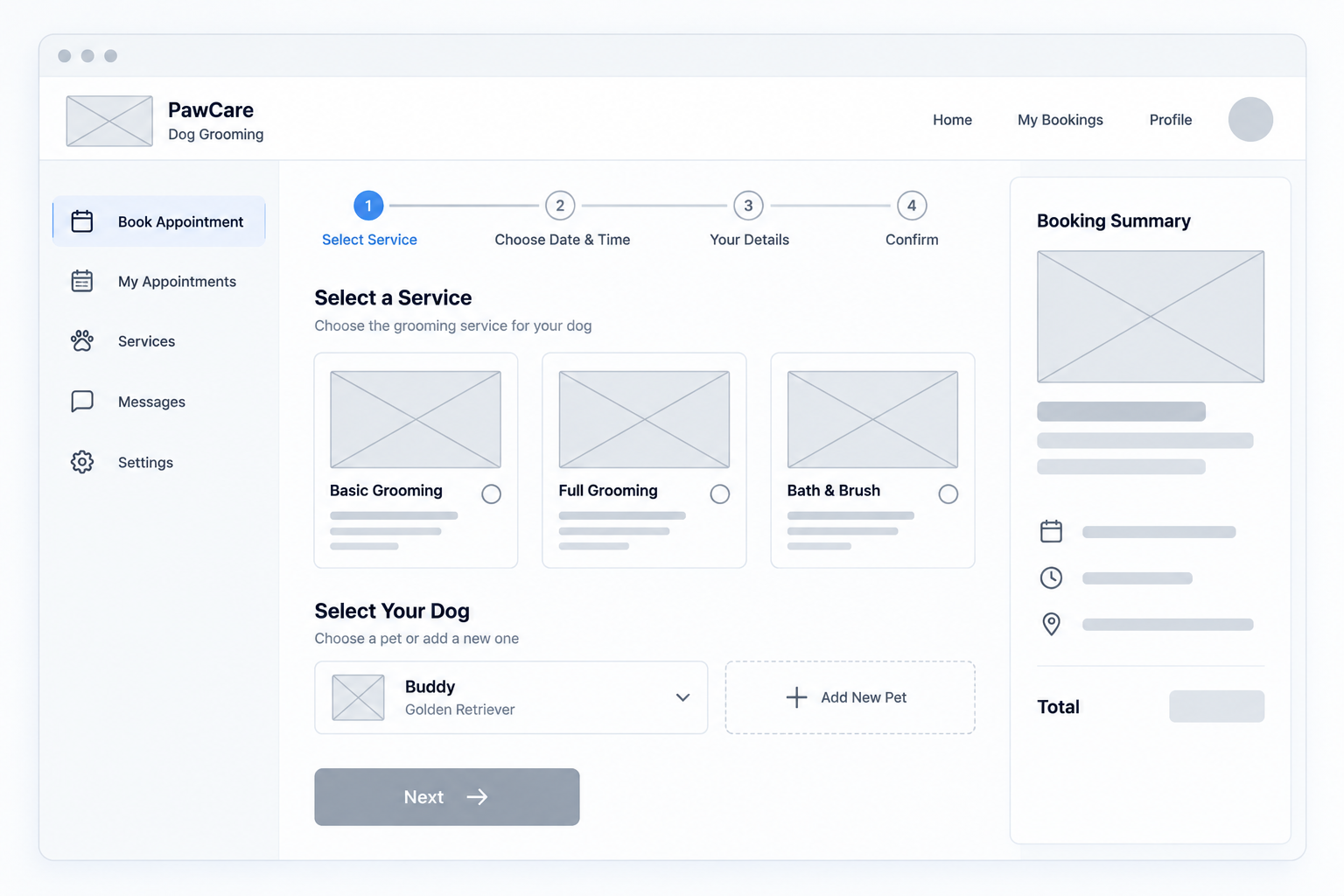
A wireframe is a simple, mostly black-and-white layout that shows where things go on a screen. It focuses on structure, not looks.
Boxes stand in for images, and gray bars stand in for text. Labels like "Button" show what each part does. You can draw one on paper or in a design tool in minutes.
A good wireframe shows the main blocks of content, the navigation and the key buttons. It does not show colors, photos or final wording.
Use a wireframe to agree on what goes on the page and in what order. At this stage, changes cost almost nothing.
What is a mockup?
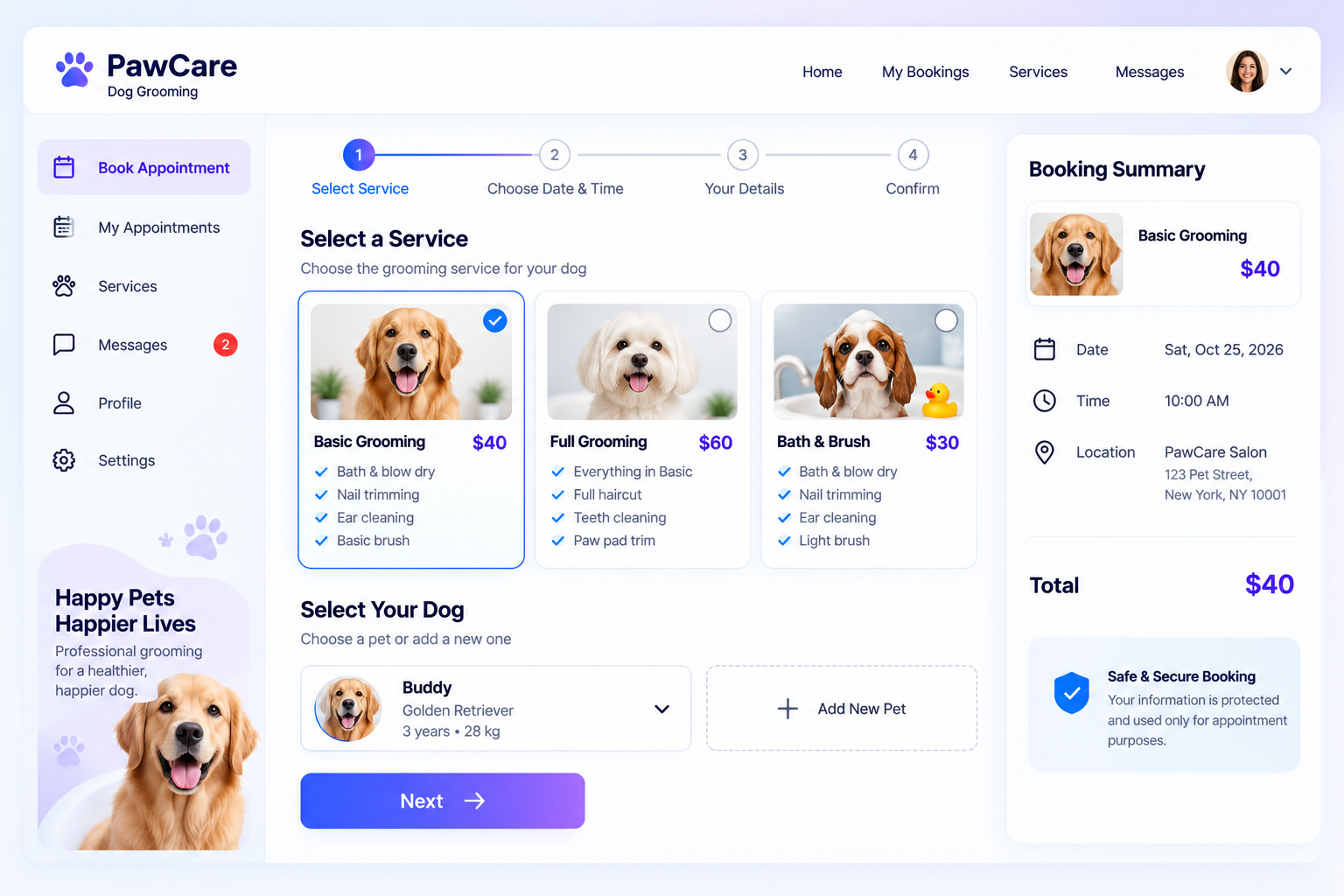
A mockup is a static, realistic design that shows how a product will look. It adds colors, fonts, images and real text to the wireframe layout.
"Static" means it is a picture. You can look at it, but you cannot click it. A mockup answers questions like "Does this feel on brand?" and "Is the text easy to read?"
A mockup is not a working product. Nothing happens when you tap a button.
Mockups take more time than wireframes. Designers often make them in Figma, a collaborative design tool. Teams use them to get approval from founders, clients and investors, and to show developers exactly what to build.
What is a prototype?
A prototype is an interactive model of a product that people can click or tap through to test how it works. It is usually built by linking mockups or wireframes together.
In Figure 3, tapping "Confirm booking" opens a confirmation screen. That one link lets you test the flow. Can a new user book a session without help? Where do they get stuck?
A prototype is not the finished product. No real booking happens behind the scenes. Common types include paper prototypes, clickable wireframes, interactive mockups and coded prototypes. An HTML prototype is a prototype built as web pages, so you can open it in any browser and share it with others.
Prototypes come in many forms. The Nielsen Norman Group, a UX research firm, notes that they range from hand-sketched to realistic, and from static to clickable (NN/g, 2018).
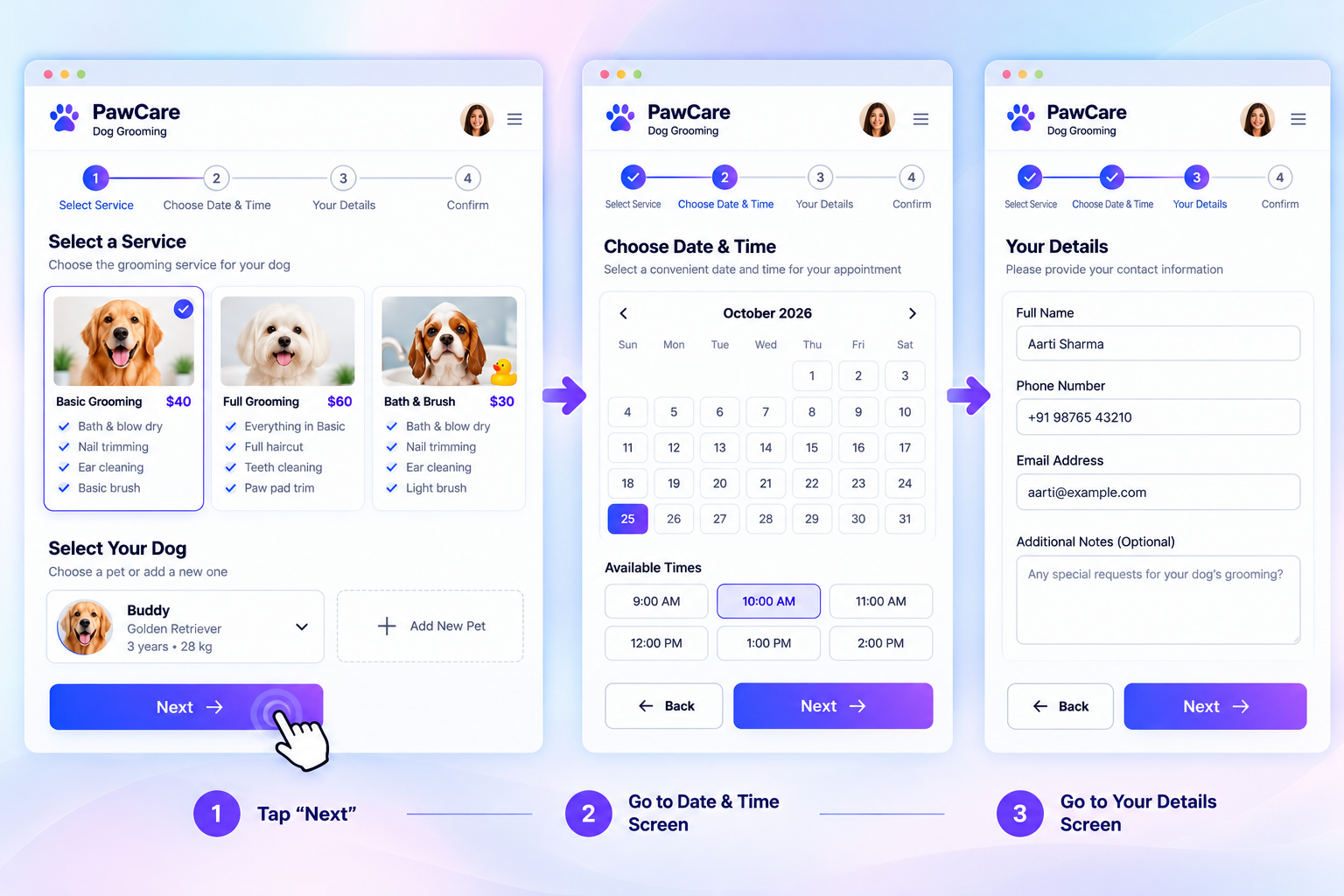
Wireframe vs mockup vs prototype: how do they compare?
A wireframe shows structure, a mockup shows visual style, and a prototype shows behavior. The table compares them side by side.
The terms get mixed up because the lines blur. A detailed wireframe can look like a mockup, and a clickable mockup is really a prototype. What matters is the job each one does.
| Wireframe | Mockup | Prototype | |
|---|---|---|---|
| What it shows | Layout and structure | Look and feel | How the product works |
| Looks like | Boxes, lines, gray tones | Final colors, fonts, images | A mockup or wireframe with links |
| Clickable? | No (basic version) | No | Yes |
| Fidelity | Low | Medium to high | Low to high |
| Question it answers | What goes where? | How will it look? | Does it work for users? |
| Effort | Lowest | Medium | Medium to high |
| Best used | Early planning | Design approval | Testing and demos |
Here is what each version of the booking screen teaches you:
- Wireframe: Is the Confirm button where people expect it? Is the order of date, time and button logical?
- Mockup: Does the screen feel trustworthy? Is the selected time easy to spot?
- Prototype: Can someone finish a booking without help? Does the confirmation screen reassure them?
Which one do you need?
Use a wireframe when you are still deciding what goes where, a mockup when you need to approve the look, and a prototype when you need to test or demo how it works. Small projects can combine steps.
- Idea stage: wireframe. You know the problem but not the screens. Sketch the main screens and their order.
- Design stage: mockup. The layout is settled. Add brand colors, fonts and real text, then get approval.
- Testing stage: prototype. Link the screens and watch real users try them. Fix what confuses them.
- Build stage: all three as a guide. Developers use mockups for looks and the prototype for flow.
If you brief a designer, name the stage you want. Asking for "a mockup" when you need a clickable demo wastes time for everyone. A short brief should cover:
- The goal of the screen or product
- Who will use it
- The screens you need
- Brand colors, logos and examples you like
- The output: wireframe, mockup or prototype
- Your deadline
Want to skip the blank page? Piltox turns your idea into a blueprint, then creates AI UI mockups and an HTML prototype you can open in any browser. It is free to start. Generate mockups and an HTML prototype from your idea.
Low fidelity vs high fidelity
Low fidelity means rough and simple. High fidelity means polished and close to the real product. Fidelity is how closely a design matches the final product.
Fidelity has two sides: how a design looks and how it behaves. A design can look rough but still click, or look polished but not click.
- Low fidelity: paper sketches, wireframes and simple clickable wireframes. They are quick and cheap. They suit early ideas. Testers feel free to criticize rough work, and designers feel less attached to it.
- High fidelity: mockups and polished prototypes. They look like the real product, so testers react to realistic screens. They take longer to change.
A good rule: start low, then raise fidelity as your questions get more specific. Do not polish a layout you have not tested.
FAQ
What is the difference between a wireframe and a prototype?
A wireframe is a static, low-fidelity layout that shows where things go. A prototype is an interactive model that people can click through. Wireframes help you plan structure. Prototypes help you test how the product works. You can link wireframes together into a simple prototype to test flow early.
What is the difference between a mockup and a prototype?
A mockup is a static picture of how the product will look, with final colors, fonts and images. A prototype is interactive, so people can tap buttons and move between screens. Mockups are used to approve the design. Prototypes are used to test it. Many prototypes are built by linking mockups together.
Can I skip the wireframe?
Yes, for small or simple projects. If the layout is obvious, you can start with a mockup. But wireframes are quick and cheap, and they catch layout problems before you spend time on visuals. For anything with several screens or user flows, a quick sketch is worth doing first.
Can a wireframe be clickable?
Yes. If you link wireframe screens together, you get a clickable wireframe, also called a low-fidelity prototype. It stays simple and gray, but people can move between screens. This is a fast way to test the flow of an app before you invest in colors, fonts and images.
Do I need all three for an MVP?
Not always. An MVP, or minimum viable product, is the smallest version of your product that real users can try. Many founders go from a quick wireframe straight to a clickable prototype and add polish later. Use the stage that answers your biggest question, and skip the rest until you need them.
Generate mockups and an HTML prototype from your idea
Seeing your product early saves time and money, because changes are cheapest before anyone writes code. Piltox helps you validate your idea, get a blueprint and see it as AI-generated UI mockups and an HTML prototype. Want a human opinion? Book a 1-on-1 session with a product expert. It is free to start, with no credit card needed.
Generate mockups and an HTML prototype from your idea | Talk to an expert